OpenClaw Security Best Practices: What Every Builder Needs to Know
Security is the concern I hear about more than anything else when talking to people who run OpenClaw agents. And honestly, that instinct is right. An autonomous agent with tool access is a fundamentally different risk surface than a stateless API call. If something goes wrong, it can write files, make network requests, run shell commands. And if you have given it too much rope, it can hang itself and anything connected to it.
This guide covers what actually matters: the permission model, how to handle API keys, what NemoClaw does for you, how to monitor what your agents are doing, and the specific mistakes I see most often. Bookmark it and come back when you are setting up something new.
Quick Takeaways
- Start from zero permissions: give your agent only the tools it needs.
- Protect API keys with environment variables and rotate regularly.
- Use NemoClaw (strict policy) for contextual sandbox enforcement.
- Monitor logs early to establish a baseline and catch deviations.
- Avoid root/sudo execution and overpermissioning before production.
Security Checklist
- Define least-privilege tool access for the task.
- Load API keys from a secure `.env` setup and rotate every 90 days.
- Enable NemoClaw in `openclaw.json` and keep it on `strict`.
- Review `openclaw logs` (tool/errors/sandbox) during your first week.
- Keep log rotation configured and avoid running agents as root.
The Permission Model: Start from Zero
OpenClaw's security model is built around least privilege. Your agent gets exactly the permissions it needs to do its job, nothing else. This is not a suggestion. The architecture enforces it. When you define an agent, you specify which tools it can access. Each tool has its own set of capabilities. Filesystem, network calls, shell commands, browser control — these are all separate permissions that you grant individually. By default, none of them are enabled.
The sandbox layer is what makes this enforceable. With NemoClaw enabled, your agent runs inside a Docker container with restrictions that go beyond what the tool configuration allows. Even if you accidentally grant a tool permission, the sandbox can block the action if it violates a policy. The two layers work together. Your explicit permissions define intent. The sandbox enforces the boundaries you cannot afford to cross.
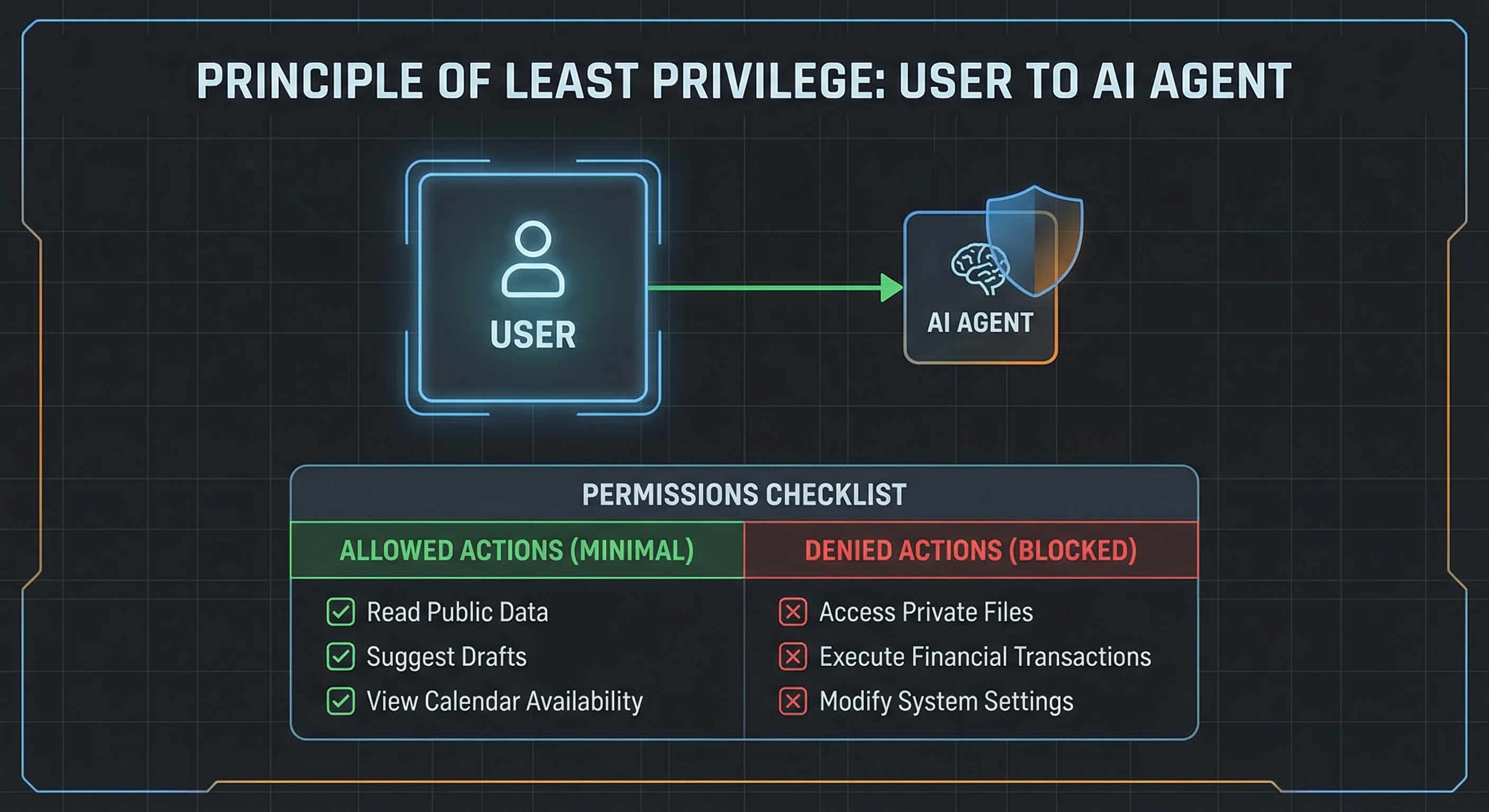
The mistake I see most is overpermissioning. Developers add browser and shell access because it might be useful later, or they allow every tool during testing and forget to lock it down before switching to production. Every tool you enable is a potential attack surface. If your agent only needs to read files and call one specific API, then it should only have filesystem read access and that one HTTP endpoint configured. Adding anything else is unnecessary risk.
The right approach is to start minimal. Give your agent only the tools it demonstrably needs. If it cannot complete its task, add exactly one tool, test, verify it works, and document why that tool was necessary. This sounds tedious but it takes about five minutes per tool. The alternative is discovering months later that an agent with broad permissions did something unexpected on a Friday night.
API Key Management
Your API key is the most sensitive piece of data in your OpenClaw setup. It authenticates requests to your LLM provider. Anyone who has it can make API calls on your account, which means racking up charges, accessing conversation history, and potentially compromising any services connected to that account.
The first rule is simple: never commit it to source control. Not to a private repo, not even for a moment. Use a .env file to store your key, add .env to your .gitignore, and load it into your OpenClaw configuration at runtime. The openclaw.json file can reference environment variables, which means your key never appears in a config file that gets pushed anywhere.
Rotation matters too. Set a calendar reminder to rotate your API key every 90 days. OpenRouter and most major LLM providers make this straightforward through their dashboard. The process takes about two minutes. It is much better than discovering a compromise six months after it happens because your provider sent you a bill for several hundred dollars in unexpected calls.
For production deployments, consider using a secrets manager. AWS Secrets Manager, HashiCorp Vault, or even just a properly secured .env file on your server can work. The goal is to keep your key off the filesystem where it could be accidentally exposed. If you are running OpenClaw on a VPS, restrict API access by IP if your provider supports it. Most free-tier VPSes do not, so focus on the key rotation and environment variable approach first.
NemoClaw Sandbox Setup
NemoClaw is NVIDIA's security layer for OpenClaw. It runs your agent inside a sandboxed environment based on Docker containers and Nemotron policy models that evaluate whether a given action should be allowed. Think of it as a guardrail that sits between your agent's intent and the actual system call. You configure the policy. NemoClaw enforces it, even when your tool configuration is imperfect.
To enable it, add a sandbox section to your openclaw.json:
{
  "sandbox": {
    "enabled": true,
    "engine": "nemoclaw",
    "policy": "strict"
  }
}
The strict policy blocks file writes outside the workspace, network calls to unapproved hosts, and shell commands not on a whitelist. Moderate allows more flexibility while still blocking genuinely dangerous actions. Permissive is for testing when you need the full toolset without restrictions.
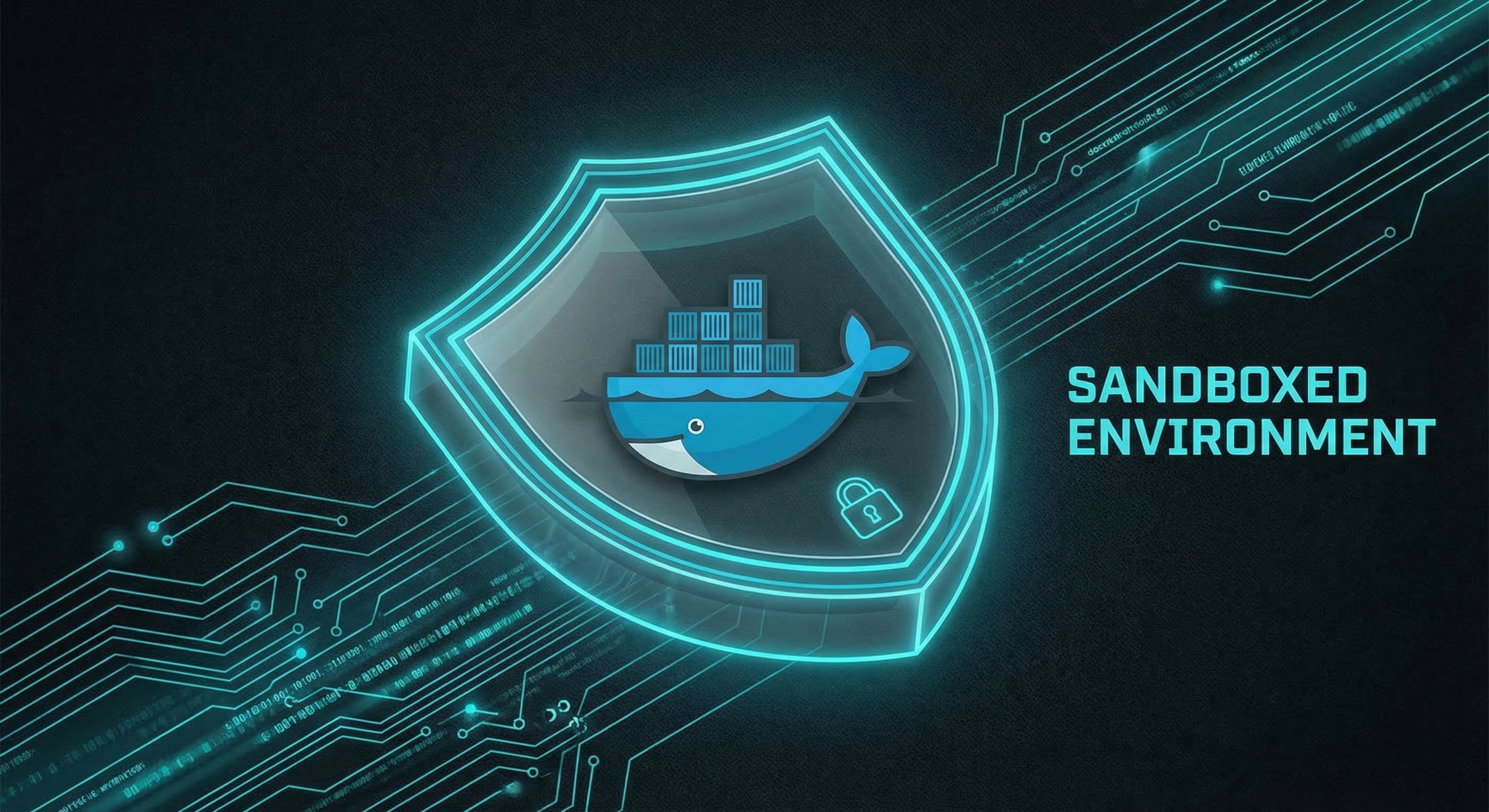
Most production workloads should use strict. The restrictions are significant. Your agent cannot exfiltrate data to an external host, cannot reach sensitive internal services like database ports, and cannot execute commands that could damage the system. If strict blocks something your agent legitimately needs, that is a signal to reconsider your architecture rather than immediately dropping to a weaker policy. You probably need to restructure how your agent accesses that resource, not weaken the guardrails.
The one-command installation pulls everything from NVIDIA's container registry. It works on Linux and macOS, with Windows support through WSL2. After installation, NemoClaw runs as a background service that your openclaw.json connects to automatically. The logs show every policy decision, so you can audit what was allowed and what was blocked. For full documentation, visit the OpenClaw security docs.
Monitoring and Audit Logs
You cannot secure what you cannot see. OpenClaw logs everything: tool invocations, API calls, agent decisions, and sandbox enforcement events. The logs are written to a local file in your agent workspace directory. For production setups, you can configure external log destinations.
What to watch for depends on your agent's risk profile, but certain patterns warrant attention regardless. Repeated failed authentication attempts suggest something is probing for access or your credentials have changed without updating the config. Unexpected file access, especially in system directories or outside the workspace, is a red flag that your agent may be misbehaving or something else has access to its environment. Unusual network activity, like connections to unfamiliar hosts or high request volumes, can indicate a compromised or misconfigured agent.
For most setups, reviewing logs daily during the first week of a new agent helps establish a baseline. Once you understand what normal looks like, you can configure alerts for deviations. The OpenClaw CLI includes log filtering commands: openclaw logs --tool shows only tool invocations, openclaw logs --errors shows failures, openclaw logs --sandbox shows NemoClaw enforcement events.
If you are running agents that handle sensitive data, consider sending logs to a centralized logging service. Loki, Elasticsearch, or even a simple syslog destination lets you correlate events across multiple agents and spot patterns that would not be visible in individual log files.
Common Security Mistakes
Running as root or with sudo is the mistake I encounter most frequently. When your agent runs as root, a vulnerability in any tool or library gives an attacker full system access. Create a dedicated user for OpenClaw, restrict file permissions carefully, and only escalate when you have a specific, documented reason. The principle of least privilege applies to the system user your agent runs as, not just the permissions you grant inside the sandbox.
Overpermissioning is the other half of this problem. Granting every available tool because it is simpler than figuring out what is actually needed means a single vulnerability exposes everything. The agent does not need all those capabilities. Neither do you. Start with the minimum set and add only what is necessary for the task.
Skipping NemoClaw is a third common mistake. The sandbox adds a meaningful layer of protection for free. Without it, you are relying entirely on the tool configuration you define. A single misconfiguration becomes a direct path to your system. NemoClaw is not perfect, but it is substantially better than nothing.
Last, do not ignore log rotation. Audit logs grow and eventually consume disk space. Configure log rotation or size limits so you always have recent logs available without filling your disk. This is easy to forget until you are troubleshooting an incident and find that logs stopped three weeks ago because the disk filled up.
Security is not a configuration you set once and forget. It requires ongoing attention as your agent's capabilities and connectivity evolve. The practices here give you a solid foundation, but stay current with OpenClaw releases, review your configurations periodically, and treat security as a continuing process rather than a checklist item you tick off and move on.
FAQ
What is the principle of least privilege in OpenClaw?
Least privilege means your agent gets exactly the permissions it needs to complete its task and nothing else. By default, no tools are enabled. You add filesystem, network, shell, or browser access deliberately. This limits the damage a misbehaving or compromised agent can do.
How do I protect my API key in OpenClaw?
Store your API key in a .env file and reference it as an environment variable in openclaw.json. Never commit .env or openclaw.json to version control. Rotate your key every 90 days. For production, use a secrets manager like AWS Secrets Manager or HashiCorp Vault.
What does NemoClaw actually do?
NemoClaw wraps your OpenClaw agent in a Docker-based sandbox with policy-based controls. It uses NVIDIA Nemotron models to evaluate whether a specific action should be allowed, based on context rather than just a simple rule match. With the strict policy, it blocks file writes outside the workspace, unknown network destinations, and non-whitelisted shell commands.
What are the most common OpenClaw security mistakes?
Running agents as root or with sudo is the most frequent issue. Overpermissioning and skipping NemoClaw (plus ignoring log rotation) round out the list. All three are avoidable with proper setup discipline.
How do I monitor what my OpenClaw agents are doing?
OpenClaw logs all tool invocations, API calls, and agent decisions locally. Use openclaw logs --tool, openclaw logs --errors, and openclaw logs --sandbox to filter by event type. For production agents handling sensitive data, ship logs to a centralized service like Loki or Elasticsearch so you can correlate events across multiple agents.
Want a production-ready sandbox configuration and step-by-step walkthrough for securing your first real agent workflow? Our installation guide walks through the full NemoClaw setup, and the OpenClaw Starter Kit includes a locked-down config with a permissions audit checklist.
If you want to go deeper on agentic AI and the security tradeoffs that come with it, subscribe to the Agent Debrief newsletter. Weekly articles, real-world use cases, and analysis from builders who are actually shipping with autonomous agents.
Want a hands-on baseline? Download the free OpenClaw Starter Kit — includes a locked-down sandbox config and permissions checklist.