NemoClaw Review: NVIDIA's Answer to Agentic AI Security
NemoClaw launched at GTC 2026 in March as NVIDIA's answer to a problem that was not theoretical anymore. Autonomous agents were running in production, connecting to real systems, handling real data — and the security model had not caught up. OpenClaw's built-in sandbox was a start, but NVIDIA saw an opportunity to build something more serious: a purpose-built security stack that understood what agents were trying to do and could make intelligent decisions about whether to let them do it.
I spent a week running NemoClaw against a variety of agent workloads. Here is what it actually does, how to set it up, where it helps, and where it falls short. For full installation docs, visit the OpenClaw documentation.
Quick Takeaways
- NemoClaw evaluates agent actions in context using NVIDIA's Nemotron policy models.
- With strict policy, it blocks dangerous actions like out-of-workspace file writes and unapproved network destinations.
- Installation is a one-command process: `curl -fsSL https://get.nemoclaw.ai | sh`.
- Compared to raw OpenClaw, NemoClaw adds a semantic policy layer (fewer, more meaningful “denied” events).
- It adds operational complexity, so it is best when your risk surface is real.
Practical Setup Checklist
- Start with a least-privilege OpenClaw configuration for the task.
- Install NemoClaw and confirm the service is reachable for your OpenClaw runtime.
- Enable the sandbox/policy section in `openclaw.json` with `strict` for production.
- Test a couple of real workflows and review policy decisions in logs.
What NemoClaw Actually Does
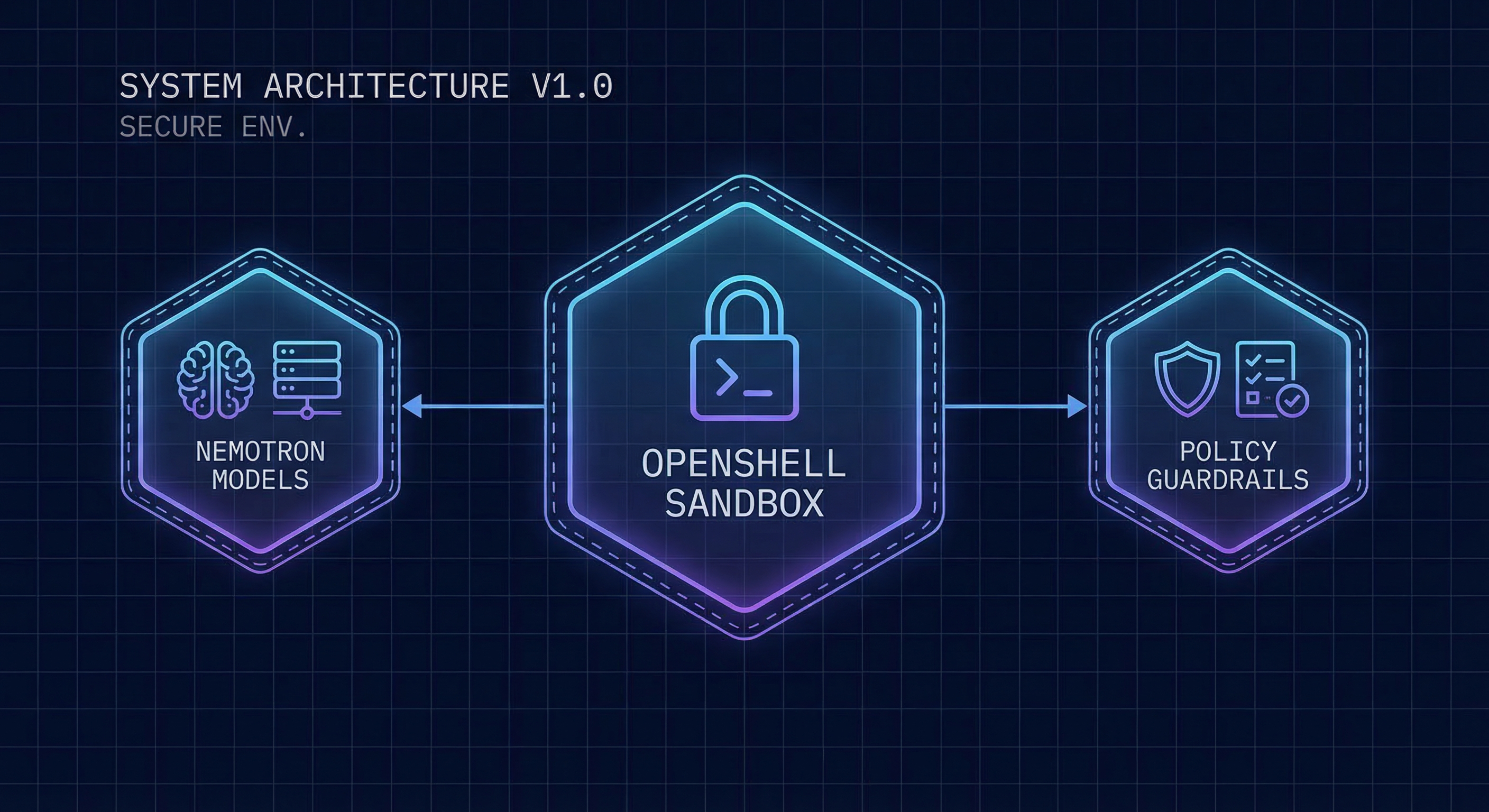
When your agent tries to do something — write a file, make a network request, run a command — OpenShell intercepts it and asks the Nemotron policy model whether this action is allowed under your configured policy. The model looks at the context: what the agent has done recently, what the current task is, what the potential consequences are. It is not a simple keyword filter. It is a real security decision made by a model that understands the semantics of the action.
This matters because rule-based systems break down when agents do things that were not anticipated. A simple "deny all outbound connections except ports 80 and 443" rule will block a legitimate API call to a non-standard port just as effectively as it blocks exfiltration. The Nemotron model can distinguish between an agent making a necessary HTTP call to a legitimate service and one that is attempting to beacon out to a command-and-control server. The difference is substantial in practice.
Installation and Platform Support
One command handles the entire installation:
curl -fsSL https://get.nemoclaw.ai | sh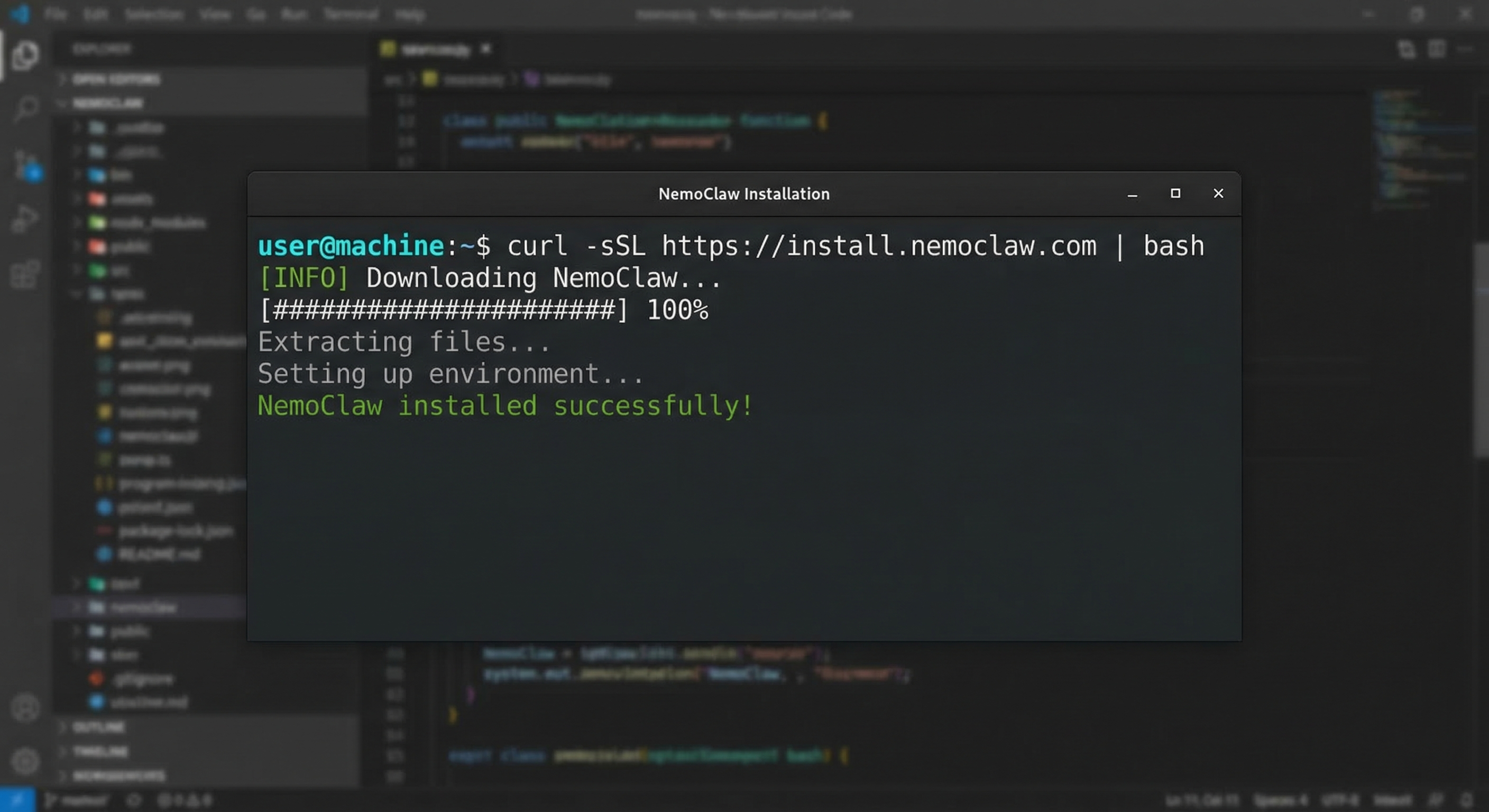
NVIDIA packages everything as a single binary that pulls the necessary container images on first run, so there is no manual Docker configuration or registry setup required. The setup process involves adding a few lines to your openclaw.json to point OpenClaw at the NemoClaw endpoint, then restarting your agent. First-time setup takes a few minutes depending on your internet connection and whether you already have the base images cached.
Linux is the primary platform, with macOS support available through Docker Desktop. Windows requires WSL2. There is no native Windows binary yet, though NVIDIA has indicated this is coming. Cloud instances on AWS, GCP, Oracle Cloud, and Azure work without issues. I tested it on Oracle Cloud's free-tier instance and an AWS t3.micro without problems. The resource footprint is modest: OpenShell adds roughly 200MB of memory overhead, and the Nemotron policy model runs locally, so there is no ongoing API call overhead after the initial setup.
How It Compares to Raw OpenClaw
Raw OpenClaw with basic sandboxing gives you Docker container isolation, configurable tool access, and audit logging. That is a reasonable security baseline, but it is fundamentally a "deny by default, allow by list" approach that does not understand context. If you allow the filesystem tool, your agent can write anywhere in its workspace. If you allow network access, it can reach any host. There is no semantic understanding of whether a specific write or request is legitimate.
NemoClaw adds the policy evaluation layer. It knows that an agent writing to /tmp as part of a legitimate task is different from one writing to /etc/cron.d, even though both are filesystem writes within the allowed workspace. It can distinguish between an agent making an API call as part of its assigned workflow and one that is attempting to contact an external server based on instructions it received from an untrusted input. That context is the whole ballgame.
The practical difference shows up in the alert volume. With raw OpenClaw sandboxing, you are watching for tool invocations and hoping your tool configuration is tight enough. With NemoClaw, you are watching for policy overrides — events where the agent attempted something and the policy model said no. These are much rarer and much more meaningful when they occur.
The tradeoff is complexity. NemoClaw adds another moving part, another service to maintain, another dependency to keep running. For simple agents that do bounded, well-defined tasks, this might be unnecessary overhead. For agents that handle sensitive data, interact with multiple external services, or operate in environments where the attack surface is large, the added protection is worth it. Your call depends on your workload.
Who It Is For
NemoClaw targets three audiences. Enterprise users running agents in regulated environments get the most from it: they need audit trails, policy enforcement that is defensible to compliance teams, and isolation that goes beyond what basic containerization provides. Security-conscious developers who want defense in depth for personal projects or client work will appreciate the policy model's ability to catch mistakes before they become incidents. Advanced users with complex workflows that require more granular control than simple tool allowlists benefit from NemoClaw's contextual evaluation.
For someone just getting started with OpenClaw, NemoClaw is probably premature. Get comfortable with the basic sandbox first, understand what your agents are doing, and add NemoClaw when you have a real need for the additional controls. If you are not yet familiar with how agentic AI works, start there first. It is not a replacement for learning how OpenClaw's permission system works — it is a layer on top of it.
The installation command is simple and the runtime overhead is reasonable. If you have a use case that involves sensitive data or complex network topology, it is worth evaluating. The security gains are real, even if they are hard to quantify in advance. Whether those gains justify the additional complexity depends entirely on what you are running and what the consequences of a compromise would be.
FAQ
Is NemoClaw free to use?
NemoClaw itself is free. The installation binary and OpenShell runtime are open source. However, the Nemotron policy model requires accepting NVIDIA's research license, which permits commercial use but has restrictions on redistribution. For enterprise deployments with specific compliance requirements, contact NVIDIA directly.
What platforms does NemoClaw support?
NemoClaw runs on Linux natively and macOS through Docker Desktop. Windows support is available via WSL2. Cloud instances on AWS, GCP, Oracle Cloud, and Azure work without issues. The resource footprint is modest - roughly 200MB of additional memory overhead once the service is running.
How does NemoClaw differ from OpenClaw's basic sandbox?
OpenClaw's basic sandbox enforces tool-level allowlists inside a Docker container. NemoClaw adds a policy evaluation layer using Nemotron models that understand the context of an action. A basic sandbox blocks all network calls except to allowed hosts. NemoClaw evaluates whether a specific outbound call is part of the agent's legitimate workflow or an attempt to exfiltrate data, even if the destination is technically permitted.
What does the OpenShell runtime do?
OpenShell is a lightweight container runtime designed for the rapid-start, short-lived container pattern that agentic workloads create. Unlike standard Docker containers that spin up once and run continuously, OpenShell containers start when an agent begins a task and stop when it finishes. This reduces resource overhead and ensures a clean environment for every task.
If you want to see the full NemoClaw setup in action, our OpenClaw installation guide includes a dedicated NemoClaw configuration walkthrough. Or grab the OpenClaw Starter Kit for a production-ready config with NemoClaw pre-configured and the permissions audit checklist.
Prefer everything in one download? Get the Starter Kit — same sandbox config and checklist referenced above.